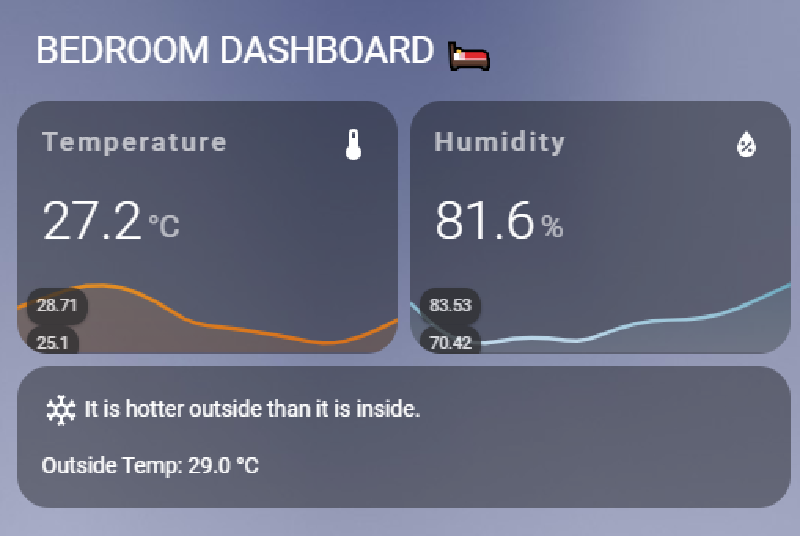
Temperature & RH Home Assistant Card
Bedroom temperature and humidity card for Home Assistant, powered by Mushroom and Mini Graph Card. Shows indoor trends, humidity, and a quick indoor vs outdoor comparison blurb.
Dependencies
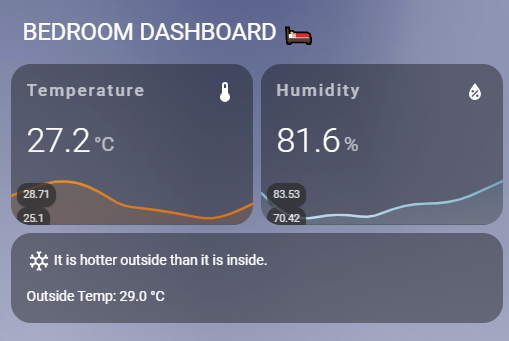
Sensors to swap
sensor.gw1100c_outdoor_temperature→ your outdoor temperature entitysensor.bedroom_temperature→ your indoor temperature entitysensor.bedroom_humidity→ your indoor humidity entity
Quick setup
- Make sure the two custom cards above are installed (HACS is the easiest way) and added to your resources.
- Copy the YAML below into a Lovelace dashboard (e.g., Manual card) and replace the sensor entities as noted.
- Optional: adjust the color thresholds to match your climate comfort bands.
Lovelace YAML
type: vertical-stack
cards:
  - type: custom:mushroom-title-card
    title: BEDROOM DASHBOARD 🛌
    subtitle: ""
  - type: vertical-stack
    cards:
      - type: horizontal-stack
        cards:
          - type: custom:mini-graph-card
            name: Temperature
            entities:
              - sensor.bedroom_temperature
            show:
              labels: true
            color_thresholds:
              - value: 30
                color: "#f39c12"
              - value: 23
                color: "#d35400"
              - value: 15
                color: "#c0392b"
          - type: custom:mini-graph-card
            name: Humidity
            entities:
              - sensor.bedroom_humidity
            show:
              labels: true
            color_thresholds:
              - value: 90
                color: "#1688A0"
              - value: 70
                color: "#D0E4F5"
              - value: 60
                color: "#F5F5F5"
  - type: markdown
    content: >-
      {% if (states('sensor.gw1100c_outdoor_temperature') | float < states('sensor.bedroom_temperature') | float) %}
        <ha-icon icon="mdi:snowflake"></ha-icon> It is cooler outside than it is inside.
      {% elif (states('sensor.gw1100c_outdoor_temperature') | float > states('sensor.bedroom_temperature') | float) %}
        <ha-icon icon="mdi:thermometer-alert"></ha-icon> It is hotter outside than it is inside.
      {% endif %}
      - Outside Temp: {{ states('sensor.gw1100c_outdoor_temperature') }} °C
Tips
- Adjust thresholds: swap the
color_thresholdsvalues to match your comfort ranges; add more entries if you like tighter bands. - Fahrenheit users: either convert the sensors to °C in the entity or change the thresholds to °F and the label accordingly.
- Add more history: set
hours_to_showon eachmini-graph-cardfor a longer window. - Want dew point? Add another
mini-graph-cardand point it at your dew point sensor.